

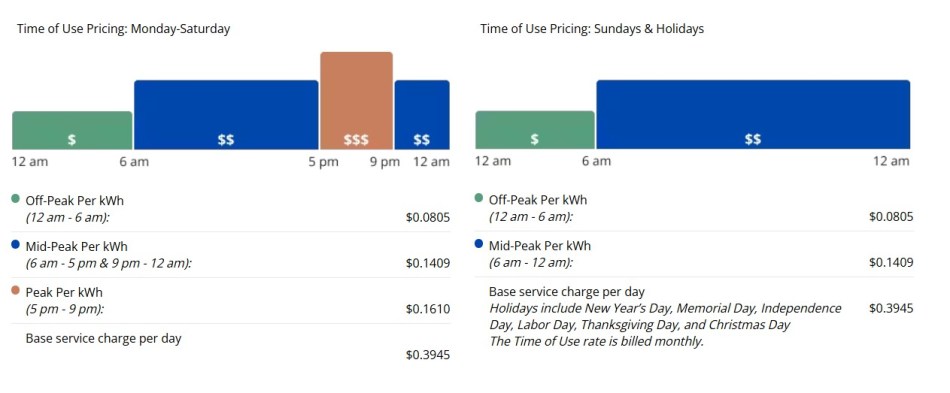
It’s been awhile since I wrote a post, mostly because I’ve already done and written about most of the consequential and readily available individual choices that reduce my impact on the environment, or in some cases, have a positive impact. Today, however, Seattle City Light has given me something new to talk about.
My very first post on this site was about renewable energy. I still use the Green Up program. Renewables result in vastly lower carbon emissions. They are also cheap, rapidly getting cheaper, and economical to scale up. Dealing with our climate disaster is going to require making extensive use of these things.
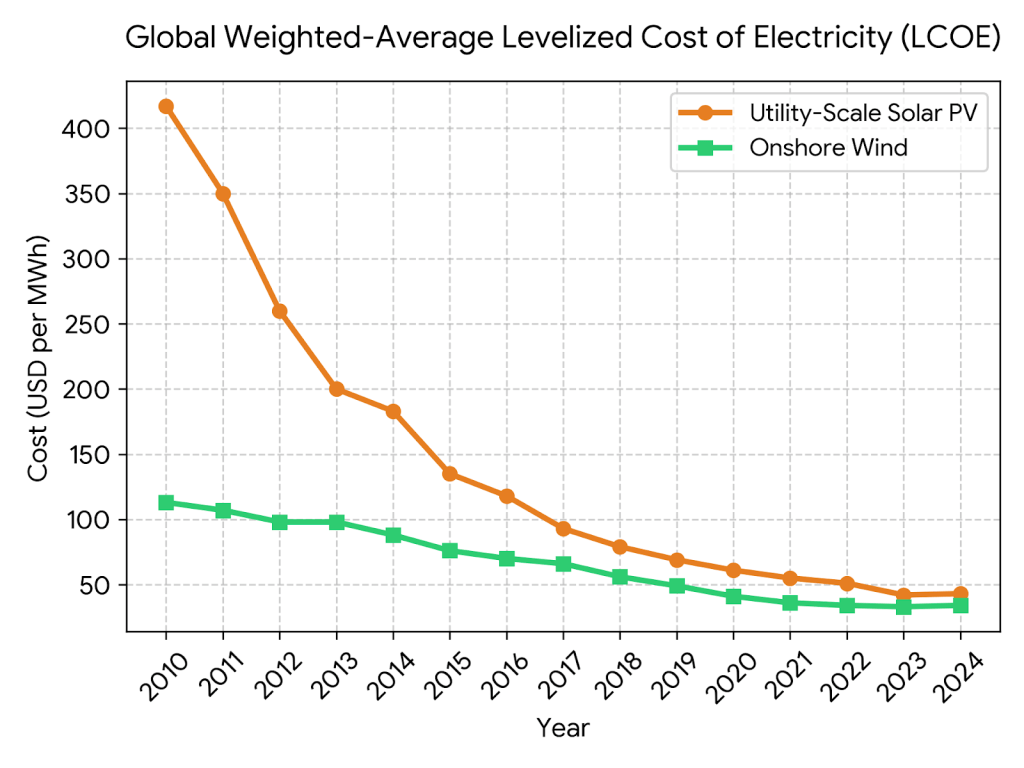
The challenge that comes with solar and wind is that they are variable and not dispatchable. You get solar during the day (provided it’s not too overcast) and you get wind when the wind is blowing. You want to use your refrigerator all the time, and your heat when it’s cold, and your computer in the evening. The mismatch between supply and demand produces something called the “duck curve,” which is the shape of the difference between total energy supplied by renewables and demanded by consumers throughout the day. I wrote about it in th renewables post in 2019.
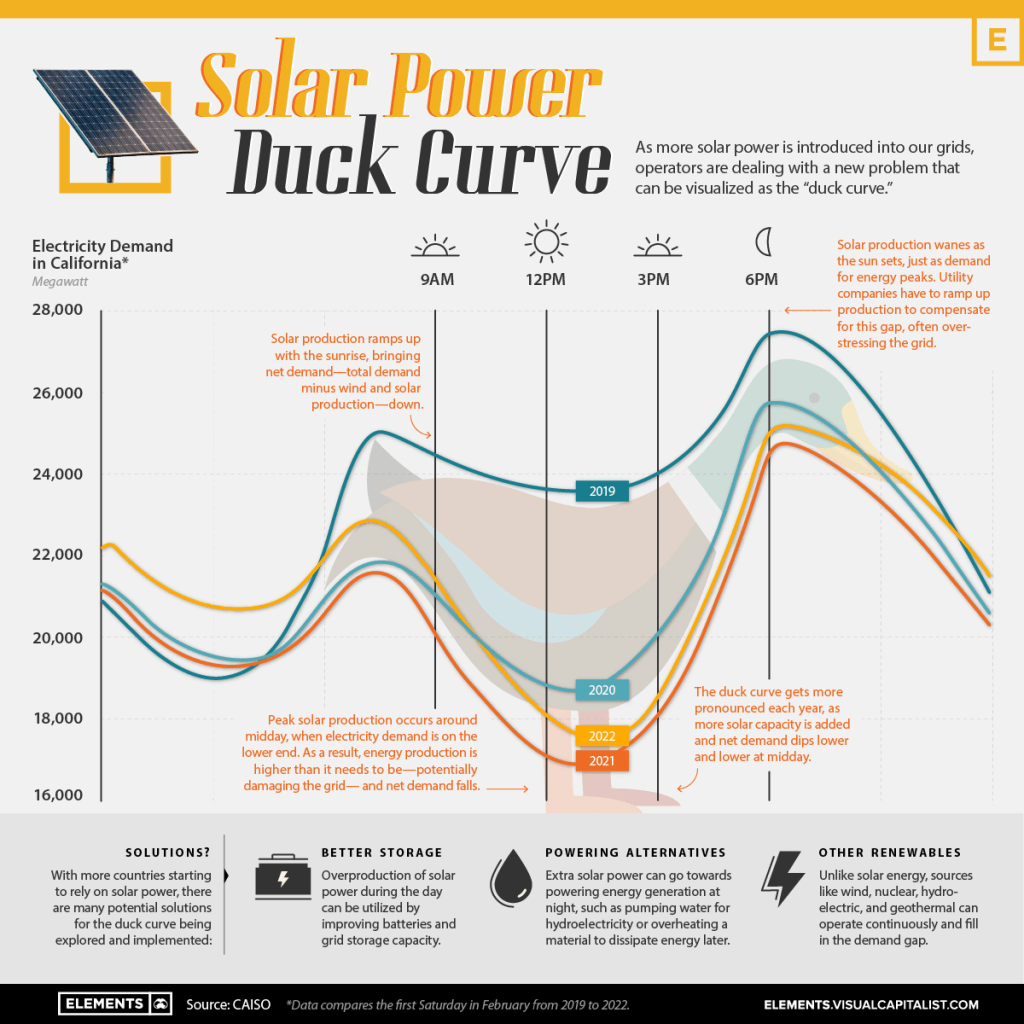
Notice I called this a ‘challenge,’ meaning that it’s a problem that you can address with economics, investment, and technology. There are rather dishonest people out there (in say, the Trump administration) that contend that renewables are useless because they are not dispatchable, but such corrupt and / or stupid people are not worth listening to.
This post concerns the economics part of the equation. It looks like this:
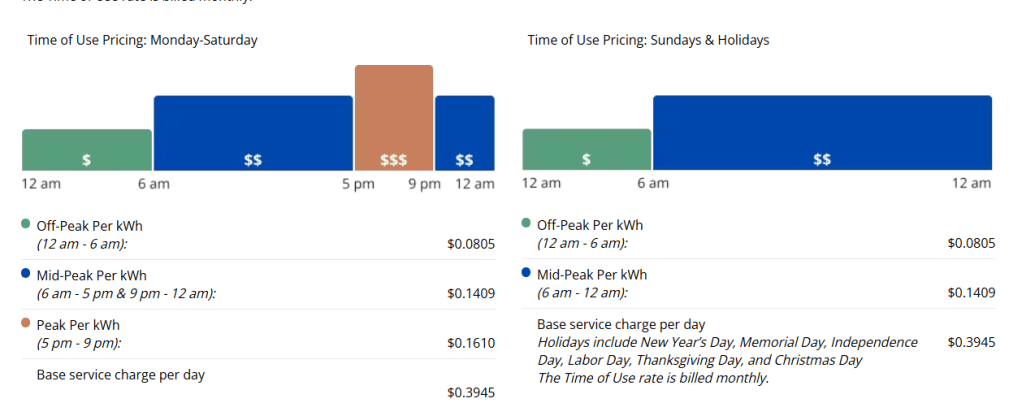
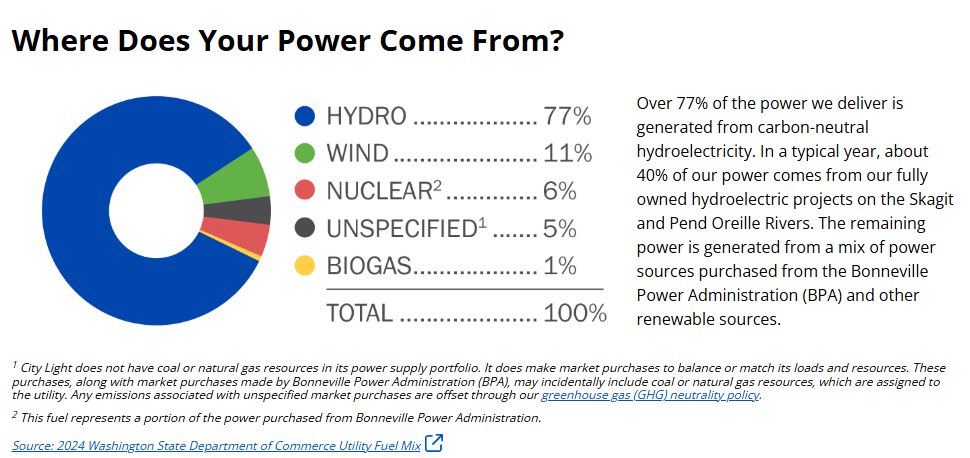
Note that Seattle City Light is almost entirely hydropowered, though wind makes up an increasing share.
Hydro is always on but produces a fixed amount of power, and it tends to be seasonal. As the climate warms and we get less snowfall, we’ll get less and less water in the dams in the summer and need to supplement this with other sources. That’s a problem for SCL – I’m not going to solve it on my blog. What I am doing is opting into my variable rate plan and shifting to using more energy during the middle of the night and the middle of the day. So how to do that? Several ways.
- I have an EV, and I can plug it in every day when I park it and tell it to charge in the middle of the night. Easiest step of them all.
- I have a heat pump water heater, which happens to be programmable. In my case, I tell it to heat to 120 degrees in the early afternoon (at the middle tier rate, when the temperature at home is highest) and let it cool off in the early evening. When we take our showers, we have hot water, and it’s enough every day thanks in part due to water efficient showerheads.
- I can set the thermostat to start heating the house early, around 530am, on the weekdays. I need to get up around then anyway.
- The only one that requires some actual daily change in behavior on my part is using the delay functions on appliances. I can set the dishwasher to run in the middle of the night, for example. Same goes for the washer, but the dryer, which uses way more electricity, does not have a delay option, unfortunately.
That’s about what’s possible for now. At some point in the future, I’m hoping we get surge rates – super high rates when there’s some kind of weather event like a heatwave or snow, and super low rates during a windstorm when our turbines are running like crazy or after a flood when the lakes behind the dams are at their limits. If that happens, well, program the car to charge up to 80% and do the laundry, I guess.
****UPDATE****
A small update here. I’m adding it hoping that someone finds it via google or whatever AI and is able to put this to use like I did.
So there IS A WAY TO GET YOUR LG DRYER TO START AUTOMATICALLY IN THE MIDDLE OF THE NIGHT to take advantage of lower electricity rates, but it’s extremely clumsy. This is a total UI fail in my opinion, but I got it to work last night. Follow these steps:
- Download the LG ThinQ app.
- Create an account and add your appliances (there’s a QR code right behind the door of the front loading washer and dryer). The process involves connecting to a wifi for the product specifically and then adding them to your app.
- Now download the Google Home Automation App and login with your google account.
- Link your Google Home app with your ThinQ app
- Turn your dryer on and enable remote start (hold a button 3 seconds for this)
- Create an automation in Google Home. Here’s what I did for the condition:
- Start time 1am
- Start the dryer
- Do it only if the dryer is turned on.
- Now: put the wet laundry in the dryer before going to bed and make sure the dryer is TURNED ON and that you TURNED ON REMOTE START
Ok, sorry for the internet yelling, but that was way more difficult than it should have been! If I wasn’t such a nerd about this I would never have done it.
Note that this only works for the ‘middle of the night’ use case. The other delay function I want is to have the dryer finish at the same time as the washer. Seems pretty basic, right? Well, that’s another UI fail as the only way to do it is start the washer, set a timer (for about 20-30 minutes), and then use the remote start function in the app to start the thing when it’s time.
If only we had clock and timer functions built into every programming language and operating system out there. Oh, wait…


0 comments on “Variable Electricity Rates”